Built for speed. Designed for virality.
Analysis, captions, reframing, and export — every step runs on your Apple Silicon Mac. No cloud inference, no upload wait, no render queue. One payment.
01AI Highlight Detection & Scoring
Find the moments worth posting.
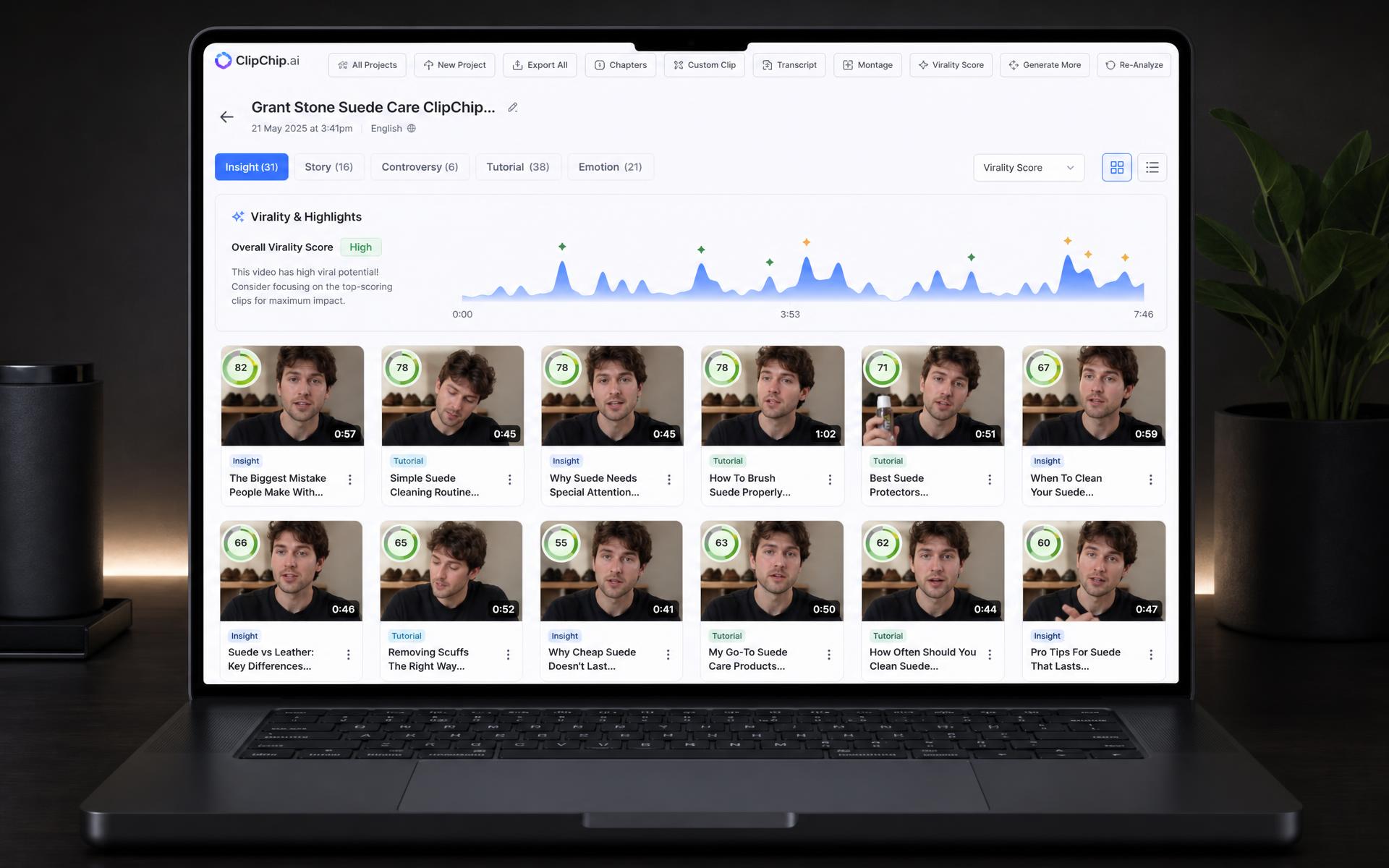
After import, ClipChip runs its pipeline and returns up to about 10 clips, each targeting roughly 45 seconds. Overlapping clips are de-duplicated — the higher-scoring one wins. There's no single scoring recipe: the app routes by what the footage actually is.
You can optionally type a focus prompt at import to tilt scoring toward matching segments.
How clips are chosen, by content type
| What the video looks like | How clips are chosen |
|---|---|
| Talking head / interview | When faces appear in most sampled frames and there's a real transcript, Apple's on-device language model reads the transcript as complete thoughts and scores each one, then blends that with measured visual and audio energy. Motion-peak scanning is deliberately skipped so interviews aren't hijacked by movement. |
| Faceless with voiceover | Speech still sets the clip windows. A second pass looks for visual action peaks — hands, tools, motion — and nudges the clip start or end by up to about 4 seconds toward a nearby peak. It doesn't re-rank the clip. |
| Silent / ASMR / no usable transcript | No speech path. Clips come from audio texture plus visual motion and saliency peaks — tool sounds, brushing, reveals. If the soundtrack is mostly music, audio is ignored and ranking is visual-only. |
What the score actually represents.
- Every clip gets an integer 1–100 score. It's an on-device quality heuristic, not a prediction of views or CTR.
- For speech clips: roughly 55% on-device language-model judgment (hook, quotability, completeness of thought, clarity out of context), 30% measured visual/audio energy, 15% the earlier visual-moment score.
- Clips that trail off mid-sentence are penalized — incomplete thoughts rank worse.
- For silent and ASMR clips there's no language-model judgment. The number reflects how peaky the audio texture and visual action are, plus a duration completeness bonus.
- A “Why This Clip” card on each result shows the contributing signals, and which of the two recipes was used.
- If Apple Intelligence isn't available on your Mac, talking-head scoring falls back to a rule-based formula. Clips still appear — they just aren't LLM-judged.
Honest limit: quiet, static close-ups with little motion — a brush resting in a glass, a slow top-down product shot — can be under-detected on the silent path. We'd rather tell you than have you find out.
02Dual-Speaker Mode
Two people. One vertical frame. Both on screen the whole time.
Dual-speaker is a reframing layout. It takes a landscape interview, detects the two faces on camera, and gives each person their own half of a 9:16 clip. You choose the layout: Stacked puts Speaker A on top and Speaker B below, each in a wide 9:8 crop. Side by side puts A left and B right, each in a tall 9:16 crop. Switching from single-crop defaults to Stacked, and Auto-Reframe also picks Stacked when it sees two faces — side by side is a deliberate choice.
How detection works
- Tap Detect Speakers (or run Auto-Reframe) and ClipChip samples up to 10 frames across the clip, about one per second.
- Apple Vision finds face rectangles in each frame — this is face detection, not audio diarization.
- Faces are grouped left or right of the frame midline. Those two groups become Speaker A and Speaker B. If everyone lands on one side, the group is split by horizontal position.
- The average face center of each group becomes one static crop window for that speaker for the whole clip.
- You can then swap A and B, pan each pane, and zoom from 1× to 5× before export.
What it does not do
- Crops are static. They don't follow people over time — if someone walks across the set, the crop stays put. Scene-aware timeline tracking is single-crop only and is off in dual-speaker mode.
- Both panes always show the same moment. It never cuts to whoever is talking — if A is speaking, you still see B's pane of that same second.
- Two people sitting close together, or one behind the other, can collapse into a single group. The empty side then falls back to a centered crop.
- Strictly two panes. Extra faces are sorted left or right by position — there's no 3-up layout and no rotating guests.
- Visible faces are required. An off-camera or faceless two-host podcast won't produce meaningful A/B crops.
- Dual-speaker always exports 9:16, even if your export setting says 1:1 or 16:9. Captions burn over the whole composed frame, not per pane.
- Speaker name pills and pane colors show in the editor preview only — they aren't burned into the export.
- Filler-word Clip AI is unavailable while dual-speaker is on.
03Word-Level Karaoke Captions
Captions that move with your words.
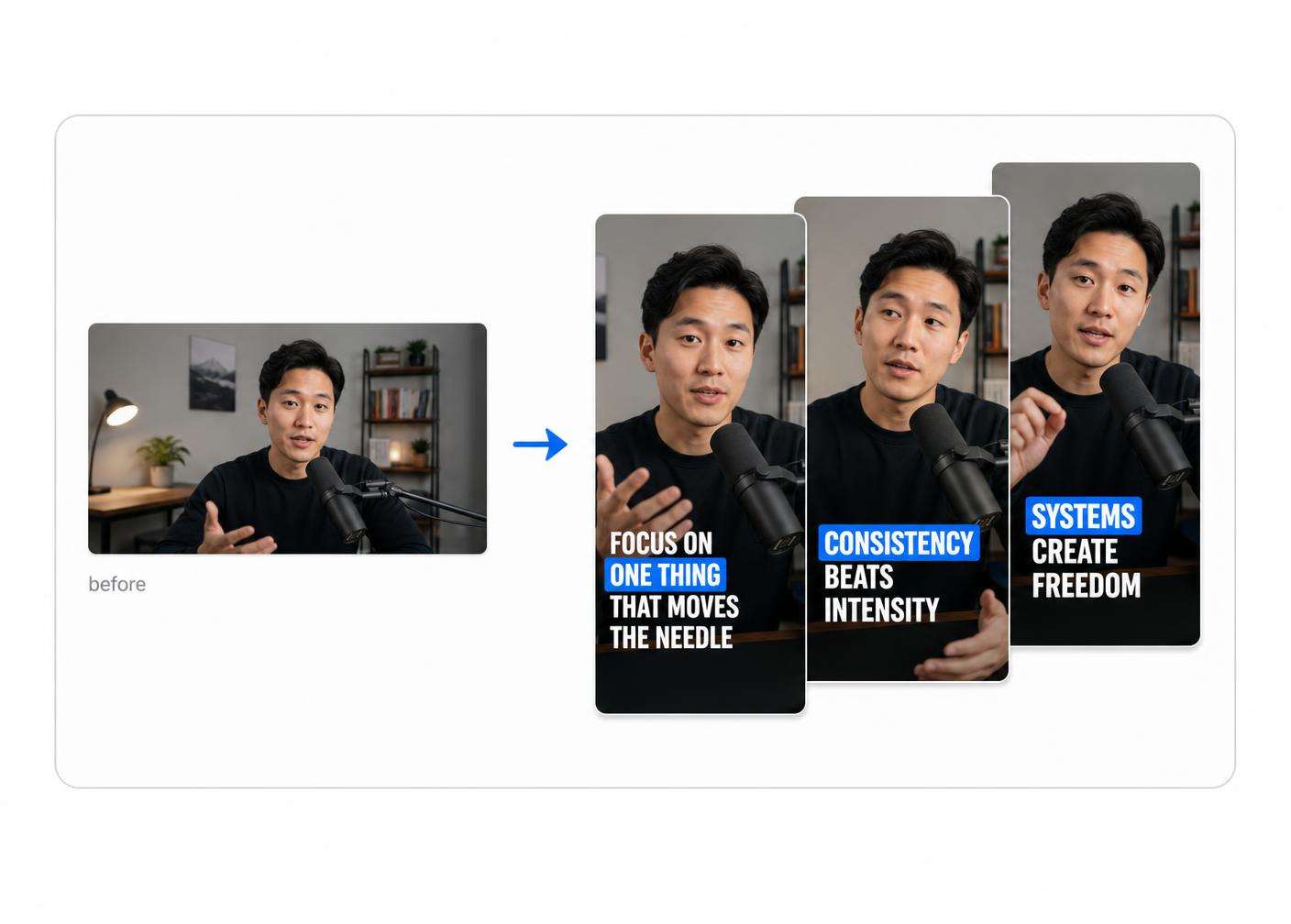
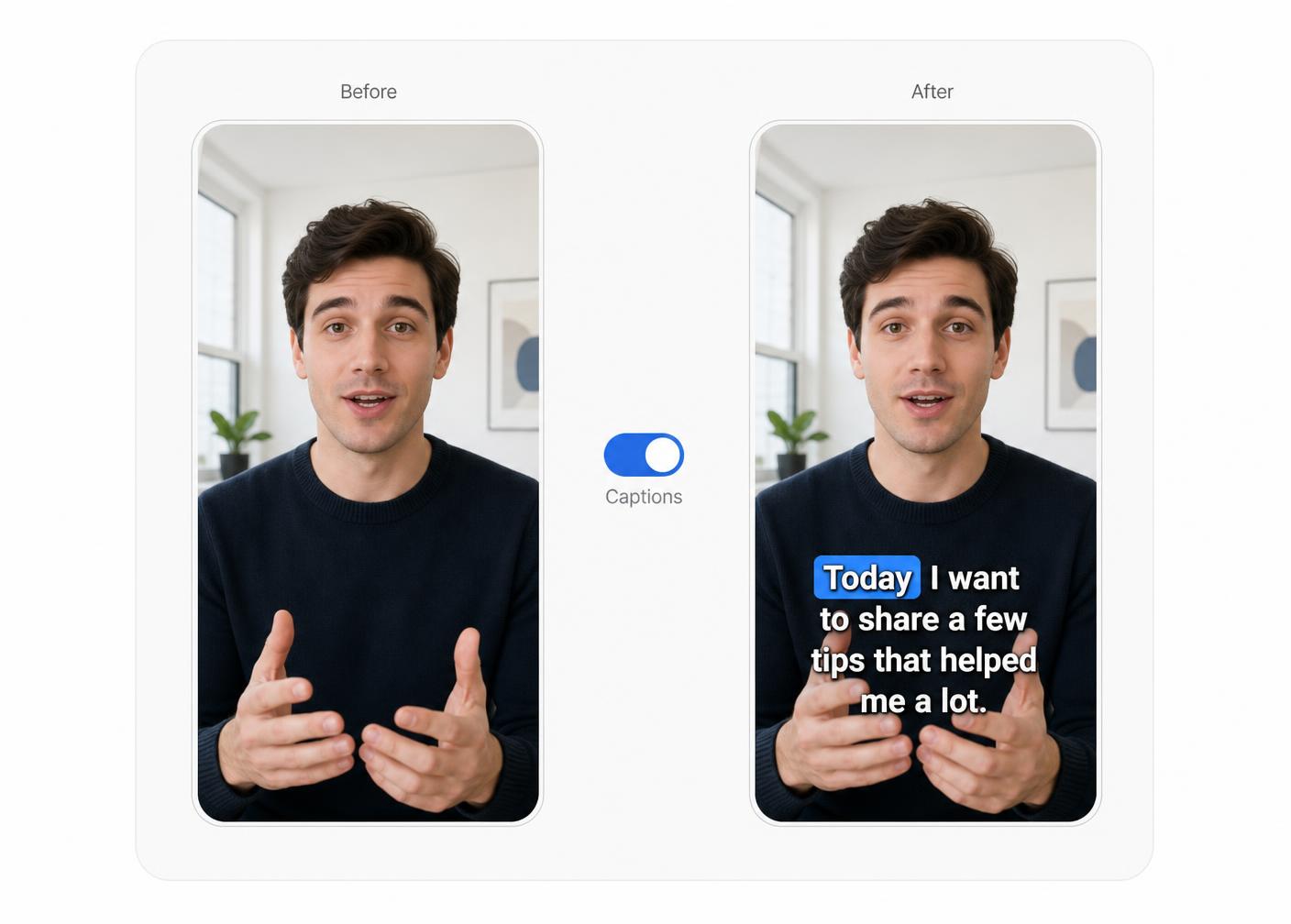
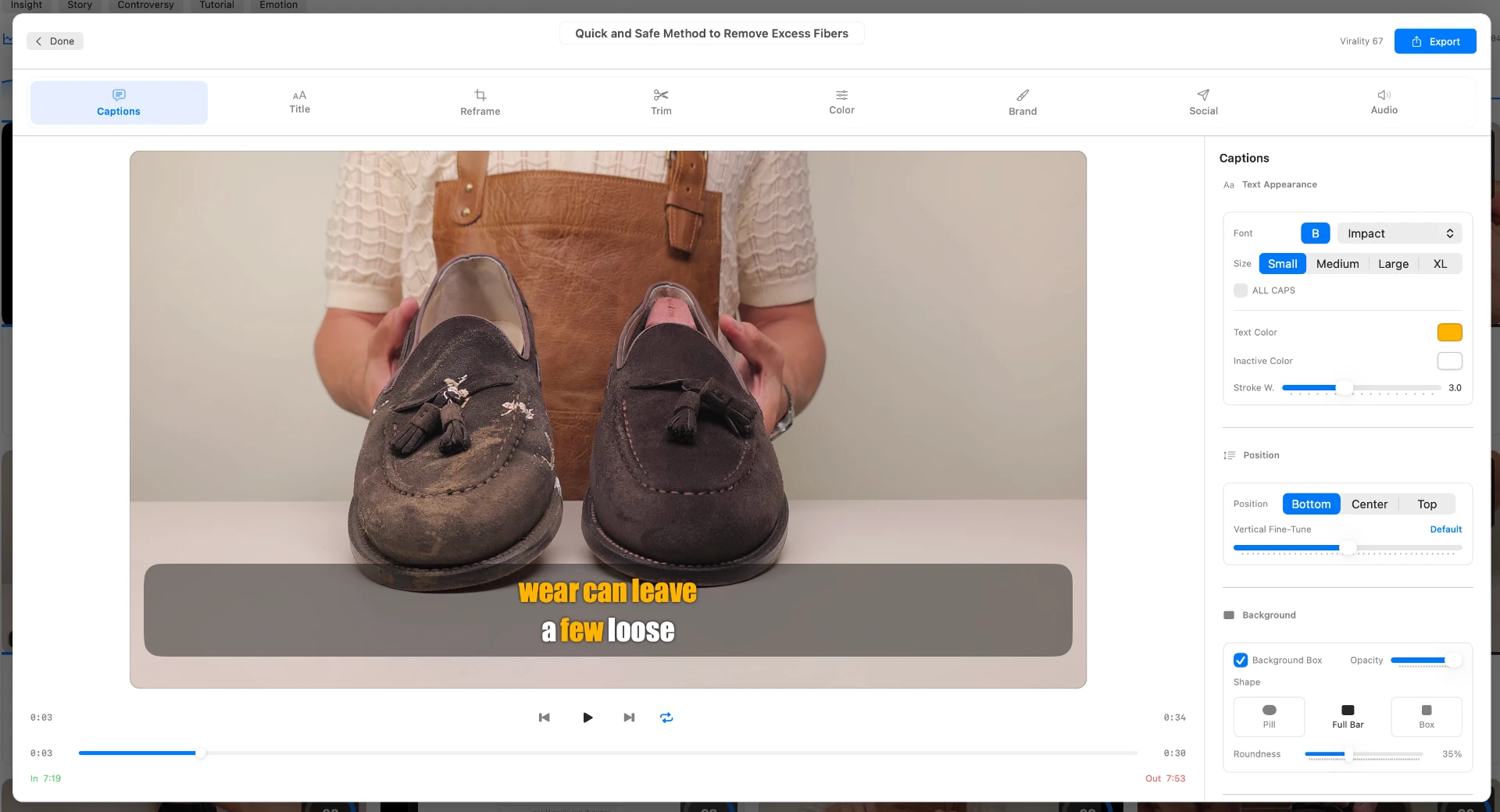
Audio is transcribed on-device with per-word start and end times, then those timings are shifted to the clip and snapped to frames. The active word lights up as its moment arrives — a color, box, or pop swap timed to each word.
- Transcribed on-device with Apple SpeechAnalyzer, returning per-word start and end times snapped to video frames.
- Highlight modes: color fill, box, pop, emoji react — or none. The active word lights up as its timing arrives.
- 14 one-tap gallery looks (Punch, Chorus, Quiet, Twin, Spike, Bloom, Marker, Banner, Quill, Voltage, Spotlight, Horizon, Pulse, Ember) plus a Bold / Neon / Outline / Karaoke / Clean / Minimal / Custom family.
- Backdrop shapes (pill, full bar, sharp box), text looks (shadow, glow, neon, outline, echo, glitch), and Brand Kit custom TTF/OTF fonts.
- Edit words, force ALL CAPS, set position and vertical offset, and choose 1–3 lines including a two-row stacked look with per-row colors.
- Optional emoji reactions on trigger words and optional on-device smart emphasis for key nouns and verbs.
- Captions-only path: import MP3, M4A, or WAV and export an .srt.
- Captions are burned into the export so playback apps can't desync them. English is the production-quality path.
04Auto-Reframe
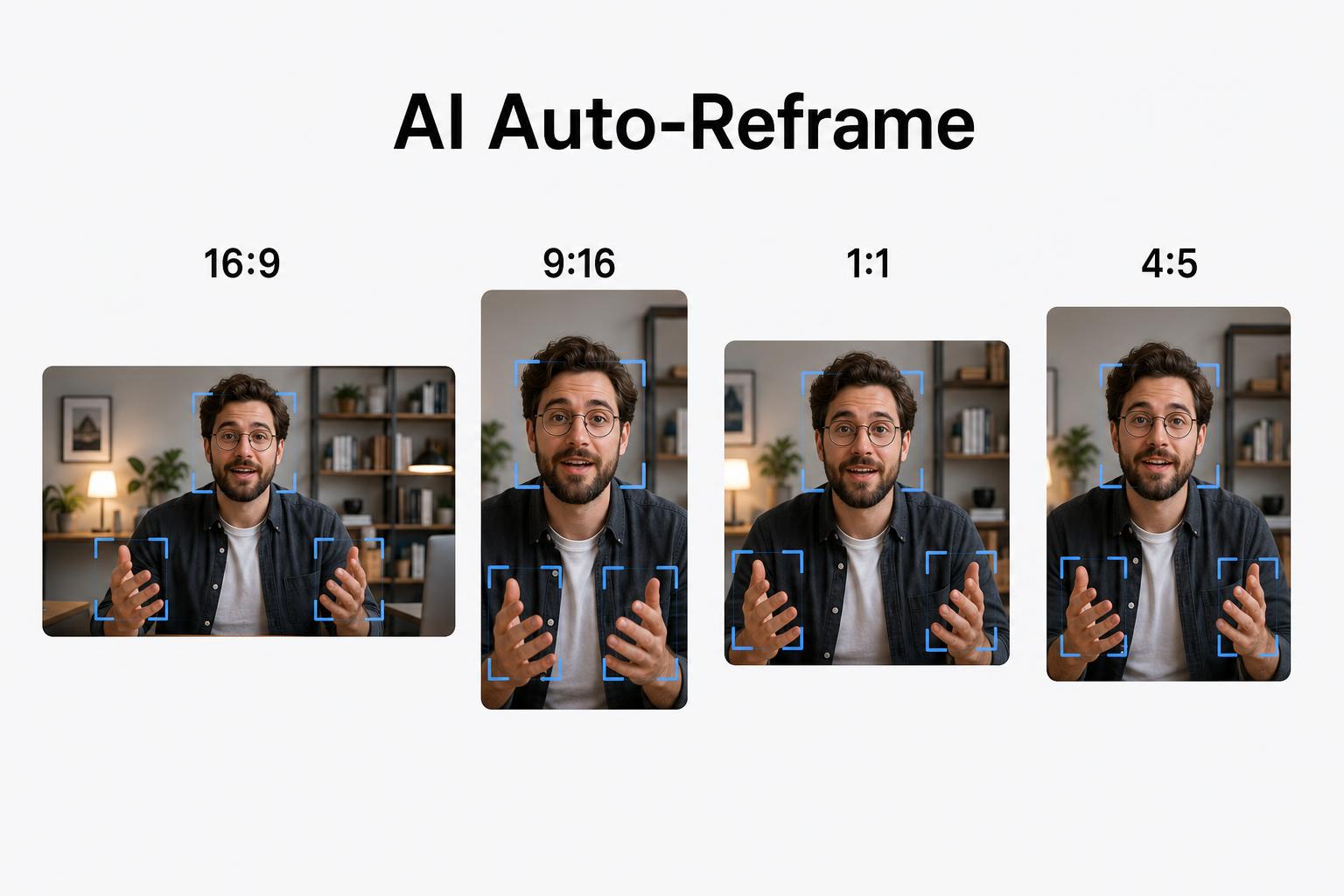
One video. Four formats.
Auto-Reframe samples about a dozen frames across the clip and looks for a face first, then a body, then the most visually salient region. It centers the crop on the average of those points. If nothing is found, it crops from the center of the target aspect — it doesn't invent a subject.
Scene-aware reframe (single-crop layouts) samples at 2 fps, splits on hard cuts, face jumps, or subject motion, and stores a crop per segment with a short ease between them. You can lock any segment. It's off in dual-speaker mode.
Output Format Options
| Format | Ratio | Best For |
|---|---|---|
| Vertical | 9:16 | TikTok, Instagram Reels, YouTube Shorts |
| Square | 1:1 | Instagram Feed, LinkedIn, Twitter/X |
| Feed / Portrait | 4:5 | Instagram Feed, Facebook Feed |
| Classic | 4:3 | Presentation and legacy formats |
| Landscape / Source | 16:9 or original | YouTube, no crop applied |
4:5 and 4:3 are available as reframe and export presets.
05Filler Word & Silence Removal
Sound like you meant every word.
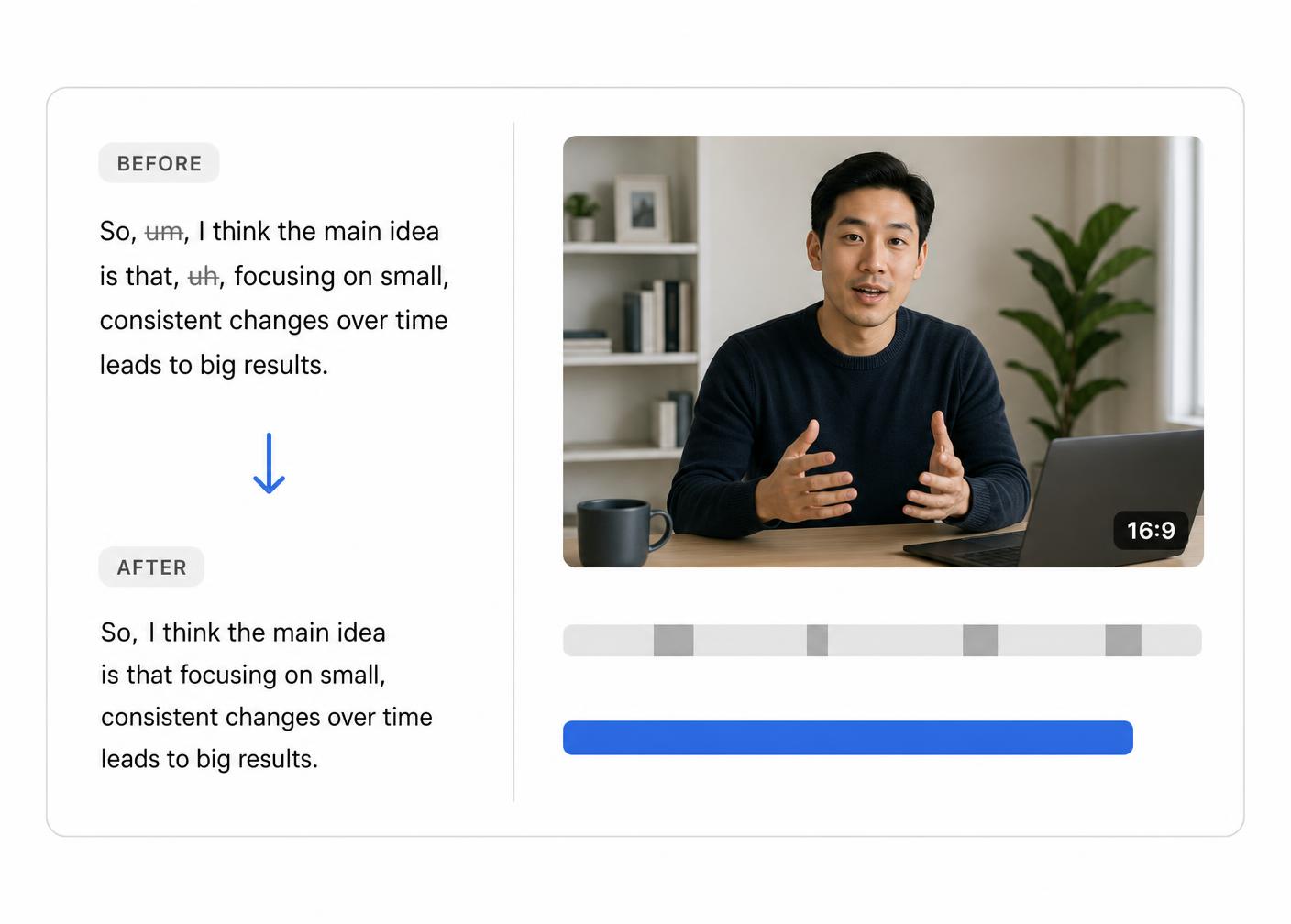
Clip AI jump-cuts filler words, inter-word pauses, and short silence pockets out of a clip — on-device, with the same plan applied at export.
- Runs as Clip AI inside the clip editor — you trigger it per clip, it isn't applied automatically at import.
- Cuts a filler lexicon (um, uh, like, you know, I mean, kind of, plus a broader editor list) along with inter-word pauses of about 0.18s and up and short silence pockets between words.
- Video, audio, and captions are all shortened together, and the same plan is applied at export.
- The editor preview plays the jump-cut version before you commit.
- Honest limits: it's lexicon-based, so genuine uses of “like” or “just” can get cut. It needs a transcript first, and it's unavailable while dual-speaker mode is on.
06Faceless & ASMR Support
No face. Still scored.
Most clippers assume a talking head. ClipChip has a dedicated path for footage without one. Voiceover tutorials keep speech-driven clip windows, then get nudged toward the nearby visual action peak. Fully silent and ASMR footage is ranked from audio texture and visual motion instead — tool sounds, brushing, reveals.
Worth knowing: quiet, static close-ups with little motion can be under-detected, and audio event labels on soft materials are treated as a weak signal, never trusted alone.
07Import & Export
In from anything. Out to MP4.
- Inputs: MP4, MOV, M4V, MKV, AVI, WebM up to 6 hours — plus MP3, M4A, WAV, AIFF, AAC, FLAC, CAF for captions-only SRT.
- URL import: paste a YouTube, Vimeo, TikTok, or Instagram link and it downloads locally before the same pipeline runs.
- Output: MP4 with H.264 or H.265 through Apple's hardware encoder, AAC audio at 192 kbps.
- Aspects: Source, 9:16, 4:5, 16:9, 4:3, 1:1. Sizes: Source, 720p, 1080p, 4K.
- Optional extras: SRT / TXT captions plus XML timeline export for Final Cut Pro, Adobe Premiere Pro, and DaVinci Resolve, hook title card, in-frame border, auto or manual color grade, recorded voiceover mix, emoji overlays.
- Hardware encoding is roughly 3–5× faster than a software encode on Apple Silicon. Real time still scales with clip length, captions, and effects — typically a few seconds to a couple of minutes per short clip.
- Free Forever exports carry a cycling ClipChip.ai watermark and cap out at 720p, 3 per day. Lifetime exports are unwatermarked, up to 4K, with an optional Brand Kit logo.
Also in the app today.
Every feature. Every plan.
| Feature | Free Forever | Lifetime |
|---|---|---|
| AI highlight detection & scoring | ✓ | ✓ |
| Dual-speaker reframing | ✓ | ✓ |
| Word-level karaoke captions | ✓ | ✓ |
| Auto-reframe (9:16, 4:5, 1:1, 4:3, source) | ✓ | ✓ |
| Filler word & silence removal | ✓ | ✓ |
| Faceless & ASMR support | ✓ | ✓ |
| Exports per day | 3 | Unlimited |
| Max export resolution | 720p | Up to 4K |
| Watermark | ClipChip.ai | None |
Don’t see a capability you need?
Tell us what would make ClipChip.ai fit your workflow. Every suggestion goes straight to the team.